


Review interrupted recordings
When a recording is interrupted, Delirium keeps its existing files and holds the job for review. Reopening the app does not restart it automatically.
 DELIRIUM
THE DELIRIUM FAMILY
Media, AI, creation and everyday PC tools in one Windows workspace. Meet the Guides behind a family of focused apps.
Windows 10/11 x64 · No payment to start · No automatic charge

START WITH YOUR DAY
Find a familiar starting point, then explore at your own pace.
Bring movies, music, games and your own library into one media-friendly space.
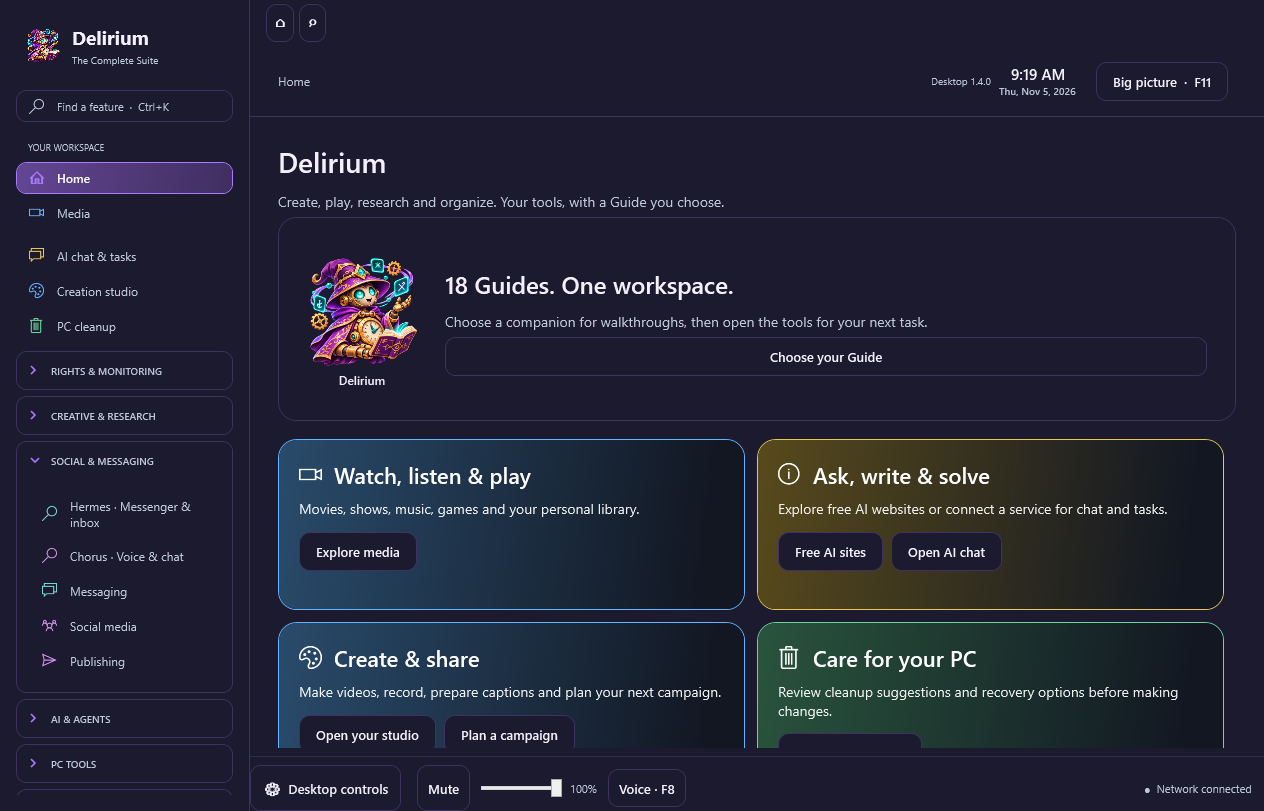
AI HELPExplore free AI sites or connect your supported services for conversations and tasks.
CREATIONRecord, prepare narration and captions, process media and plan your next campaign.
EVERYDAY PC TOOLSUnderstand your computer and review cleanup suggestions before applying changes.

THE COMPLETE WINDOWS WORKSPACE
Move between media, AI help, creative work and reviewed PC tools without losing your place.
Alongside Aegis rights tools and Argus / Hall Monitor, open included workspaces for art, books, research, inboxes, games and voice & chat. They use your Delirium access; connected services keep their own accounts, permissions and charges.
18 NAMES. ONE FAMILY.
Each Guide has a distinct identity and a practical place in the Delirium family.
INSIDE DELIRIUM
Save interface colors, explore practical walkthroughs and keep the tools you use within reach.
In the Windows app, select Choose your Guide on Home to choose any of the 18 companions. Your saved choice follows tutorials, creative walkthroughs and included workspace guidance. Choosing a Guide sends no AI request.
TRY IT ON YOUR WINDOWS PC
Start with seven days free. A lifetime purchase is $39.99, with a $29.99 introductory offer for the first 100 buyers. No automatic trial charge.
Optional AI provider usage is separate. Your Delirium account unlocks the full app.
FOCUSED WINDOWS APPS
Explore 17 focused standalone apps alongside the complete Delirium workspace. Each listing explains its own features, price and access.
Explore the app family →These earlier release notes retain their original context and version labels.
STILL INCLUDED FROM DESKTOP 1.3.18
Safer live TV recovery and cleaner playback sit alongside the search, monitoring, creative tools and tutorials already in Delirium.
When a recording is interrupted, Delirium keeps its existing files and holds the job for review. Reopening the app does not restart it automatically.
Resume an eligible recording explicitly. Delirium writes a new, uniquely named part and keeps earlier parts listed so you can review them.
Stopping time-shift playback releases the native player and helper cleanly. Old temporary buffers are removed safely, with limited retries for files still in use.
Helper logs hide private stream addresses. Backup guidance now explains that saved channel and playlist links can contain private access tokens.
STILL INCLUDED FROM DESKTOP 1.3.17
Hall Monitor joins Delirium, with faster search, optional monitoring backups, an official update checker and practical tutorials.
Scan supported Discord channels, review keyword findings and keep export history in the full monitoring workspace. Close or reopen it without quitting Delirium.
Desktop search reuses its local index while you type. Filter websites correctly, refresh files and shortcuts, and search only the folders you choose.
Choose Hall Monitor in Backup & restore. Preview the restore, keep recovery copies and recover automatically if a write fails. Credentials and exported media are excluded.
Search for Check Delirium updates to compare your installed version with the official release. Download and install complete updates manually through your account.
New step-by-step tutorials explain desktop search, monitoring backups and updates from the controls you use.
Music and merch service directories, a merch cost estimator with CSV export, and a saved launch checklist are now included in the complete public build.
INCLUDED IN DESKTOP 1.3.18
Printify, Printful, Gelato and other merchandise services join the Windows app, with an app-based cost estimator and saved launch checklist.
See the desktop merch features →Included in the complete Desktop 1.3.18 download.
Included in Desktop 1.3.18. Desktop 1.3.18 release notes →
INCLUDED IN DESKTOP 1.3.18
Open RouteNote, Kunaki and six more music services from Creation studio.
Explore music services →Save private account records, optional encrypted passwords and plans. Remember supported browser logins.
Explore site accounts →Open specialist tools including Bitwarden, Gmail, Rocket Money and Monarch Money.
See everything new →